The quarterly Social Security declaration is one of those nightmares that comes back every 3 months. “How much do I owe this time? Did I calculate correctly? What if I make a mistake?”
Without help, this declaration can take 2-3 hours the first time. With FIZ, it takes 10 minutes — and with the Auto plan, the system does everything automatically.
The manual process (the nightmare)
To submit the quarterly SS declaration manually, you have to:
- Work out the quarter’s income — add up the services provided in the 3 months: income counts on the date the invoice becomes due (the IRS rules): the service date as a rule; for an advance, the date you receive it
- Calculate the relevant income — 70% of the total. If you provided €6,000 of services: 70% × €6,000 = €4,200
- Work out what you’ll pay — Social Security divides the relevant income by 3 (€4,200 ÷ 3 = €1,400 monthly base) and applies 21.4%: €299.60 per month, over the following 3 months — €898.80 in total for the quarter
- Fill in the declaration — log into Segurança Social Direta, navigate the menus, fill in the fields
- Submit and pay — generate the MB reference, pay, save the confirmation
Total time? 2-3 hours if it goes well. If you make a mistake at any step, you start again.
How FIZ transforms the process
With FIZ, the process is completely different:
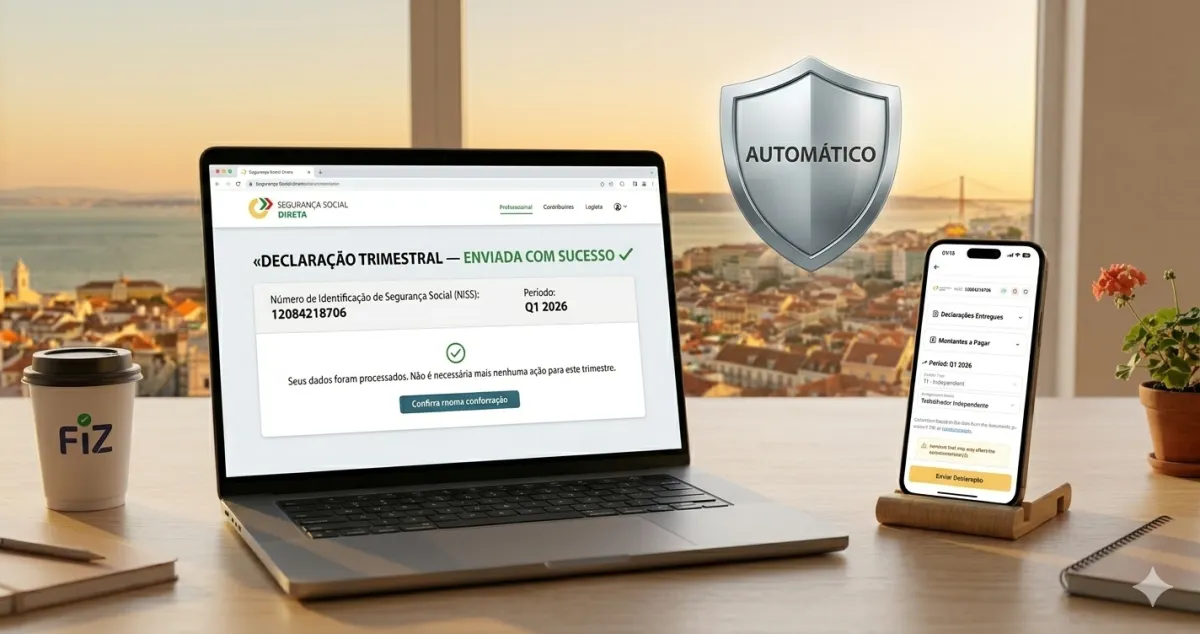
Step 1: You receive a notification — “Your quarterly Social Security declaration is ready. This quarter’s income: €6,000. Contribution: €299.60/month over the next 3 months. Confirm?”
Step 2: You open the app, see the detailed summary. All invoices listed, transparent calculation, final amount.
Step 3: One click. “Submit declaration.”
Step 4: Done. Declaration submitted. The payment references arrive later, month by month — you pay each contribution between the 10th and 20th of the following month, and FIZ reminds you of each one.
Total time? 10 minutes.
What happens behind the scenes
FIZ automatically does what takes you hours to do manually:
- Aggregates the quarter’s income — because you issue invoices directly in FIZ, the system attributes each income to the month its invoice became due (the service month as a rule; the receipt month for advances)
- Calculates the relevant income — automatically applies the 70%
- Applies the rate — 21.4% on the base
- Fills in the declaration — all fields correct
- Submits on time — you can never forget
Special cases FIZ handles
Exemption in the first year. If you’ve had your activity open for less than 12 months, you may be exempt. FIZ detects this automatically and doesn’t submit the declaration. It alerts you when the exemption ends.
Quarters with low invoicing. If you invoiced little, the minimum contributory value may apply. FIZ calculates everything and shows you what you’ll pay.
⚠️ Note: Many independent workers think that in the simplified regime “the state does everything”. Wrong. Whenever you’re required to contribute, the quarterly SS declaration is your responsibility — and so is the VAT one, if you’re in the standard regime. “Simplificado” refers only to how IRS is calculated; it doesn’t remove declarations.
How much time (and stress) you save per year
Without FIZ: 4 declarations × 3 hours = 12 hours per year. Plus the fear of making mistakes.
With FIZ Auto: 4 notifications × 10 minutes to confirm = 40 minutes per year. Zero stress.
✅ In summary
-
The quarterly SS declaration is mandatory for those who contribute — every 3 months you declare the quarter’s income (attributed to the date the invoice becomes due — the service date as a rule), and Social Security sets the monthly contribution: 21.4% on 70% of that amount, spread over the following 3 months. Exempt (first year, accumulation with employment)? You don’t declare either, while the exemption lasts. The full calculation is in the Social Security guide for freelancers.
-
Manually it takes 2-3 hours — collecting invoices, calculating, filling in, submitting. One mistake means starting again.
-
With FIZ it takes 10 minutes — you receive a notification, confirm the automatically calculated values, click to submit. With the Auto plan, you don’t even need to confirm — it’s completely automatic.