
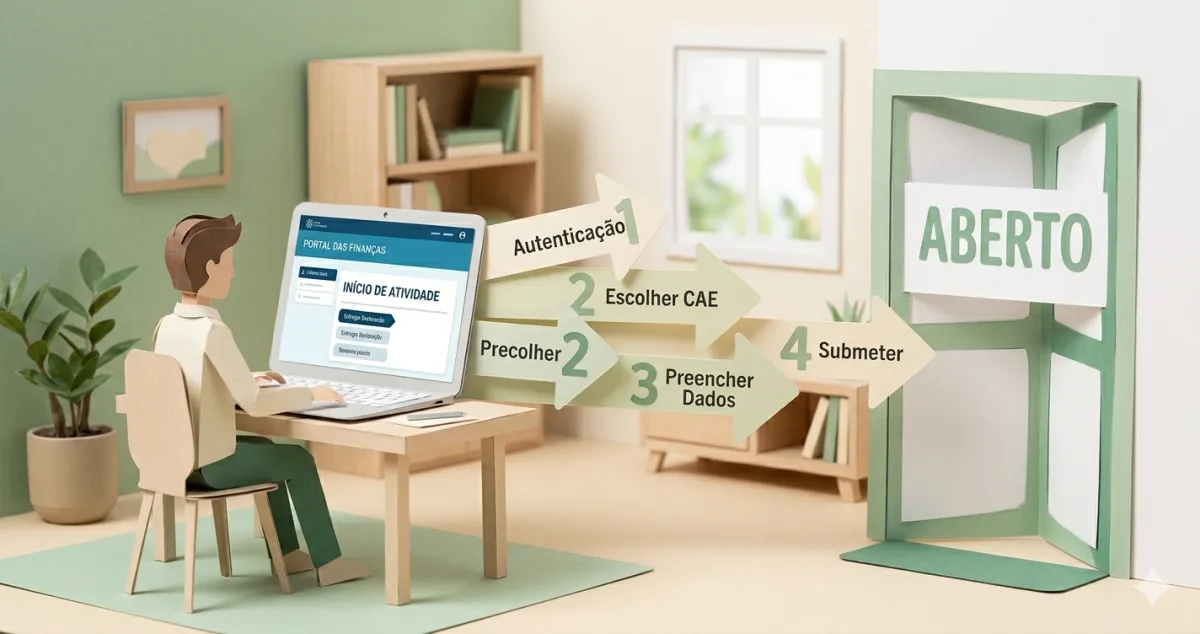
Most people who put off opening their activity are imagining a morning lost at a tax office with queue tickets and paper forms. That ended years ago.
Today you open your activity online, in about 20 minutes, without leaving the sofa. Here is the complete process.
First: do you even need to open activity?
Not always. If you are going to invoice a one-off service you do not expect to repeat, you can issue an ato isolado (isolated act) instead of opening activity — no registration, no monthly contributions. (Since 1 July 2025, an isolated act requires no start-of-activity declaration at all, whatever the amount — art. 31.º(3) of the CIVA.)
The deciding factor is not the amount, it is regularity. The law (Article 3(3) of the CIRS) defines an ato isolado as one that “does not result from a predictable or repeated practice”. In other words: there is no maximum value for an ato isolado — what matters is that it is a sporadic, one-off operation.
If your income is (or will be) regular, even if small, you must open activity. That is the rest of this guide.
(And if your plan is to set up a company - an Lda - that’s a different process: see how to open an Lda step by step.)
What you need before you start
The essentials:
- NIF — your tax identification number (9 digits)
- Finance Portal access — a password (the same one you use for e-fatura) or the Chave Móvel Digital (Digital Mobile Key)
- CAE — your activity code (explained below)
- IBAN — of an account in your name; the form asks for it
- An invoicing forecast to the end of the year — it decides your VAT regime (see Step 6)
If you do not yet have access, you can request a password (mailed to your fiscal address) or authenticate straight away with the Chave Móvel Digital.
Step 1 — Log in to the Finance Portal
Go to www.portaldasfinancas.gov.pt and click Iniciar Sessão (top right corner).
You can log in three ways: NIF + password, Citizen Card (with reader), or Digital Mobile Key. Use whichever you prefer.
Step 2 — Navigate to activity registration
In the portal menu, look for:
Atividade → Submeter Declarações → Início de Atividade
A form appears. Do not worry — most fields are pre-filled with your data.
Step 3 — Choose your activity type
The form asks whether you are a Trabalhador Independente (Independent Worker) or Empresário em Nome Individual (Sole Trader/ENI).
The difference is not in the legal structure (in both cases you and the “business” are the same person), but in the nature of the activity:
- Trabalhador Independente (TI) — you sell your knowledge, time, or skill: professional, technical, or artistic services. This is the typical regime for freelancers and liberal professionals.
- Empresário em Nome Individual (ENI) — the activity revolves around selling products or a more commercial operation.
For the vast majority of freelancers — designers, programmers, consultants, translators, photographers, content creators — the right answer is Trabalhador Independente. Simpler, with fewer obligations.
- You sell knowledge, time or skill — professional, technical or artistic services
- On the simplified regime, a 0.75 coefficient on art. 151.º services
- Typical of freelancers and liberal professionals
- Activity built around selling goods or a more commercial operation
- On the simplified regime, a 0.15 coefficient on sales of goods and products
- Typical of those who sell products
Step 4 — Choose your CAE (activity code)
The CAE identifies what you do professionally. Some common examples:
| Activity | CAE |
|---|---|
| Graphic design | 74120 |
| Programming | 62100 |
| Business consulting | 70200 |
| Photography | 74200 |
| Literary creation & musical composition | 90110 |
| Sports training | 85510 |
In the form, type keywords describing your activity and suggestions appear. Choose the one that best describes what you do.
If yours is a liberal profession (designer, lawyer, doctor…), there is also the Article 151 code that sets your income-tax coefficient — we explain the difference and list the codes by profession in the CAE and CIRS guide.
The form will ask you for this code right away — look it up here without leaving the page:
| Profession | Code (Art. 151) |
|---|---|
| Architects | 1001 |
| Draftsmen | 1002 |
| Engineers | 1003 |
| Technical engineers | 1004 |
| Geologists | 1005 |
| Surveyors | 1006 |
| Theatre, ballet, cinema, radio and television artists | 2010 |
| Circus artists | 2011 |
| Sculptors | 2012 |
| Musicians | 2013 |
| Painters | 2014 |
| Other artists | 2015 |
| Singers | 2019 |
| Bullfighters | 3010 |
| Other bullfighting artists | 3019 |
| Actuaries | 4010 |
| Auditors | 4011 |
| Tax consultants | 4012 |
| Accountants | 4013 |
| Economists | 4014 |
| Official accounting technicians | 4015 |
| Similar technicians | 4016 |
| Nurses | 5010 |
| Physiotherapists | 5012 |
| Nutritionists | 5013 |
| Midwives | 5014 |
| Speech therapists | 5015 |
| Occupational therapists | 5016 |
| Other paramedical technicians | 5019 |
| Lawyers | 6010 |
| Legal consultants | 6011 |
| Solicitors | 6012 |
| Dentists | 7010 |
| Medical analysts | 7011 |
| Surgeon doctors | 7012 |
| Ship doctors | 7013 |
| General practitioners | 7014 |
| Medical dentists | 7015 |
| Stomatologist doctors | 7016 |
| Physiatrist doctors | 7017 |
| Gastroenterologist doctors | 7018 |
| Ophthalmologist doctors | 7019 |
| Orthopedic doctors | 7020 |
| ENT doctors | 7021 |
| Pediatric doctors | 7022 |
| Radiologist doctors | 7023 |
| Doctors of other specialties | 7024 |
| Private tutors | 8010 |
| Trainers | 8011 |
| Teachers | 8012 |
| Statutory auditors | 9010 |
| Notaries | 9011 |
| Psychologists | 1010 |
| Sociologists | 1011 |
| Analysts | 1110 |
| Priests of any religion | 1210 |
| Property administrators | 1310 |
| Family helpers | 1311 |
| Nannies | 1312 |
| Systems analysts | 1313 |
| Archaeologists | 1314 |
| Social workers | 1315 |
| Astrologers | 1316 |
| Parapsychologists | 1317 |
| Biologists | 1318 |
| Commission agents | 1319 |
| Consultants | 1320 |
| Typists | 1321 |
| Decorators | 1322 |
| Athletes | 1323 |
| Ironers | 1324 |
| Beauticians, manicurists and pedicurists | 1325 |
| Guide-interpreters | 1326 |
| Journalists and reporters | 1327 |
| Appraisers | 1328 |
| Masseurs | 1329 |
| Real estate mediators | 1330 |
| Expert appraisers | 1331 |
| Computer programmers | 1332 |
| Advertising professionals | 1333 |
| Translators | 1334 |
| Pharmacists | 1335 |
| Designers | 1336 |
| Veterinarians | 1410 |
| Other service providers | 1519 |
| Technical agents of engineering and architecture | 1000 |
No match? Your activity may not be a listed liberal profession — then it falls outside the table and uses the 0,35 coefficient. The standard 0,75 for services still applies to most freelancers.
The complete official Art. 151.º list. On the table → 0,75 coefficient on service income (or 0,95 on copyright/royalty income). Not on the table → 0,35.
If you choose the wrong one: it is not a disaster. You can change your CAE later under Atividade → Submeter Declarações → Alterar Atividade. It takes 5 minutes.
Step 5 — Choose the simplified regime
When the form asks for your taxation regime, the vast majority of freelancers choose Regime Simplificado (Simplified Regime) — it is the default for anyone below €200,000 of annual income.
Why? Because the simplified regime automatically applies a deduction coefficient (0.75 for art. 151.º services, 0.35 for other services — the state presumes part of your costs for you). You do not need to hire an accountant; you just need your specific deductions to reach 15% of your income to avoid an uplift to the taxable base — and a large part counts automatically: the statutory specific deduction (art. 25.º) or, if higher, your mandatory Social Security contributions. On low income this can cover the 15% even without extra expenses (CIRS art. 31.º n.º 13).
Organised accounting (contabilidade organizada) can pay off if you have very high professional expenses — and it becomes mandatory when you exceed €200,000 of income in two consecutive years, or more than €250,000 in a single year (CIRS art. 28.º), taking effect the following year.
Step 6 — The VAT regime (and the trap to avoid)
This is where most people slip up. If your invoicing forecast up to the end of the current calendar year stays within €15,000 (inclusive) — the threshold for 2025 and 2026 —, you may be entitled to the Article 53 VAT exemption (if the remaining conditions are met): you do not charge VAT or file quarterly VAT returns for your own sales. This is one of the thresholds that change everything.
The form decides your VAT regime from two answers:
- The invoicing forecast you enter — what counts is the amount you expect to invoice up to the end of the current calendar year; that estimate is used as-is, with no conversion to annual terms. If it exceeds €15,000, activity opens straight onto Regime Normal, with no exemption.
- The questions about clients and operations with other countries.
⚠️ The trap: Article 53 excludes anyone carrying out export operations on goods (or connected activities). If the form asks about that and you answer “yes”, you can lose the exemption — even if everything else is services. Read each question carefully: most freelancers provide services, they don’t export goods. If in doubt, confirm before submitting.
The invoicing forecast you enter here can be changed later — but it is simpler to get it right now than to fix it afterwards.
Step 7 — Set your start date
You can choose:
- Today — the most common choice
- A future date — if you want to start invoicing in a few days
Activity must be opened before you start working or invoicing (CIRS art. 112.º). If you already invoiced or worked without opening it, that is a late registration — talk to the tax authority or an accountant, because the effective date and any fines depend on the case.
Step 8 — Fill in additional details
The form asks for your fiscal address (pre-filled), your place of work (you can write “At home” if you work from home), and your contact details.
Step 9 — Submit and save the confirmation
Click Submeter. The system processes the request and generates a PDF confirmation. Save that PDF — it is proof that your activity is open.
That is it. You can now issue your first recibo verde — and plan your first 90 days of activity.
After opening activity: two important steps
Confirm your Segurança Social Direta Registration with Social Security as an independent worker is normally automatic once you open activity at Finanças (the AT reports the start to Social Security). Even so, log in to Segurança Social Direta (segurancasocial.pt) and confirm your details are correct. See when and how much you pay to Social Security.
Invoicing: the Portal or certified software You can issue invoices on the Finance Portal itself. AT-certified software becomes mandatory above certain conditions — annual turnover above €50,000 (annualised in the opening year), or if you have organised accounting; and in any case, if you use invoicing software at all, it must be AT-certified, whatever your turnover (DL 28/2019). Below that, the Finance Portal (free and certified) is enough — but dedicated software is faster and keeps everything organised.
What if your NIF has a foreign address?
It depends where:
- An address in the EU or EEA (the EEA includes Norway, Iceland and Liechtenstein) — you can open activity yourself, online and for free. Appointing a fiscal representative is optional.
- An address outside the EU and EEA (a third country) — for VAT purposes you are a non-resident taxable person and appointing a fiscal representative is mandatory (Article 30(2) of the CIVA). The representative must themselves be a VAT taxable person.
If you have recently moved to Portugal, see our dedicated guide: how to open an atividade as a foreigner.
Prefer the counter? You can also go in person
Online is faster, but it is not compulsory. You can open activity at a Serviço de Finanças (tax office) or a Loja do Cidadão, before you start working or invoicing. Bring the essentials:
The officer registers the activity-opening declaration for you. The result is the same as online - you receive a comprovativo (confirmation) which you should keep.
Frequently asked questions
Can I have an employment contract and open freelance activity at the same time? Generally, yes — many people start this way. Just check your employment contract (exclusivity or non-compete clauses) and, in regulated professions or the public sector, the incompatibility rules.
Do I need to go to the tax office in person? Not compulsory - opening, changing, and closing your activity are all done on the Portal. But if you prefer, you can handle the opening at the counter (see above).
When do I start paying taxes? IRS for your first year is filed in the annual declaration of the following year (April to June); if there is tax to pay, the payment deadline is normally 31 August. For Social Security, when you open activity for the first time, the framework (and the obligation to contribute) only takes effect on the 1st day of the 12th month after you start — so you have roughly a year with no contributions. It is a deferral of the framework, not an exemption (if you want, you can opt to start contributing earlier).
I chose the wrong code. Can I change it? Yes, at any time, under Atividade → Submeter Declarações → Alterar Atividade. There is no fine for having a code that is not ideal — but do report changes to your activity within the deadline (as a rule, 15 days). It takes 5 minutes.
Do I have to charge VAT from the start? No, as a rule: if your invoicing forecast up to the end of the calendar year stays within €15,000, inclusive (the 2025 and 2026 threshold), you may be exempt under Article 53 (if the remaining conditions are met). With a forecast above that, you enter Regime Normal and start charging and declaring VAT.
Can I provide services to clients outside the EU while on the Article 53 exemption? Yes. Providing services to foreign clients does not, by itself, push you out of Article 53 — what removes the exemption is mainly exceeding the annual invoicing threshold. Just watch out for the form trap (Step 6) when declaring goods-export operations.
Additional resources
📌 Prefer a visual guide? Prof. Danielle Lago has a step-by-step walkthrough on YouTube (in Portuguese): Portal das Finanças: logging in and opening activity.
✅ In summary
-
The process is online and takes 20 minutes — Finance Portal → Atividade → Submeter Declarações → Início de Atividade. Choose Trabalhador Independente, correct CAE, simplified regime.
-
Social Security registration is normally automatic — your opening at Finanças is reported to Social Security; just confirm your details on Segurança Social Direta.
-
With FIZ certified invoicing is ready as soon as you open your activity — issue your first recibo verde in minutes.